




Contact us

    Talk to our Experts


    +1 920 303 0470
    info@smart-is.com 1302 S Main ST , Oshkosh , WI 54902-6518

    Warehouse Migrator - Accelerate your WMS Blue Yonder Upgrades

    Smart IS’s Warehouse Migrator is a purpose-built solution designed to simplify and accelerate Blue Yonder WMS migrations. It enables seamless configuration and data transfers across environments, reduces manual effort, and ensures data accuracy. It streamlines migration processes with robust validation, customizable controls, and secure automation while minimizing risk and downtime. 

    0 +

    developers trust Warehouse Migrator

    0 %

    Faster Migrations

    Cut migration timelines from weeks to hours with automation. 

    0 %

    Successful Migrations

    Trusted by enterprises to streamline Blue Yonder WMS upgrades.

    Zero Data Loss Guarantee

    Built-in validation ensures safe, consistent transfers every time.

    100%

    Blue Yonder Compatible

    Comprehensive Audit Trails

    Detailed logs and CSV exports for full traceability.

    Lower Costs

    Reduce rework, downtime, and IT overhead.

    Redefining Data Migration for Blue Yonder WMS Upgrades

    Engineered To Optimize Every Stage of Your Blue Yonder WMS Upgrade and data migration.

    Simplified Configuration Migration

    Warehouse Migrator enables seamless transfer of Blue Yonder WMS configurations between environments with minimal manual intervention.

    Controlled Data Extraction & ID Translation

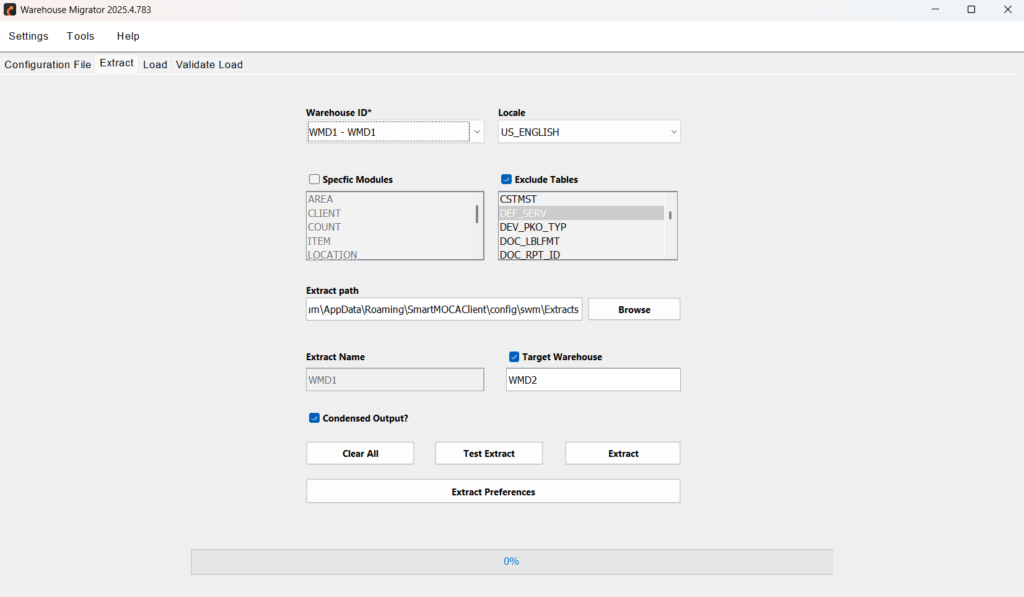
    Extracts required data by warehouse, module, or table to control scope and avoid unnecessary movement.

    Data Load Validation & Error Tracking

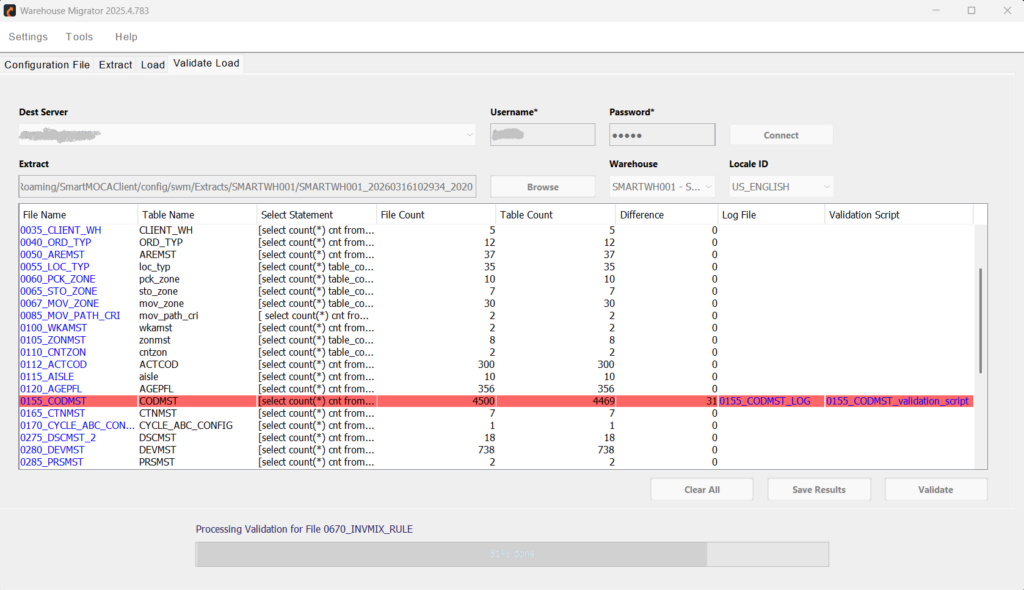
    Ensures data is accurately loaded into the target environment by validating it against the source, while identifying and reporting discrepancies early through detailed error logs.

    Named Data Sets for Reuse

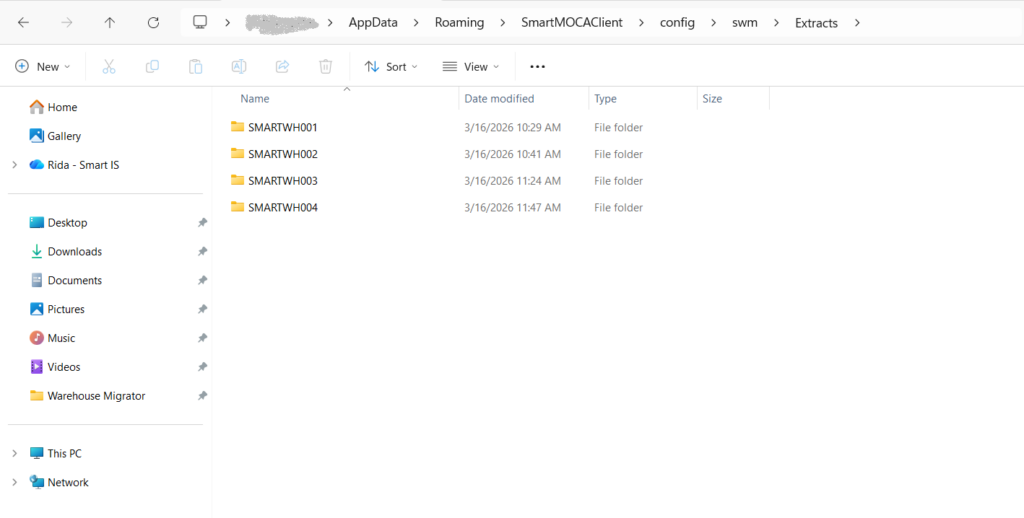
    Save extracted configurations as named datasets for repeatable, consistent migrations across multiple projects or environments.

    Server Connection Management

    Manage connections across multiple environments with ease and security.

    User Preferences & Configuration

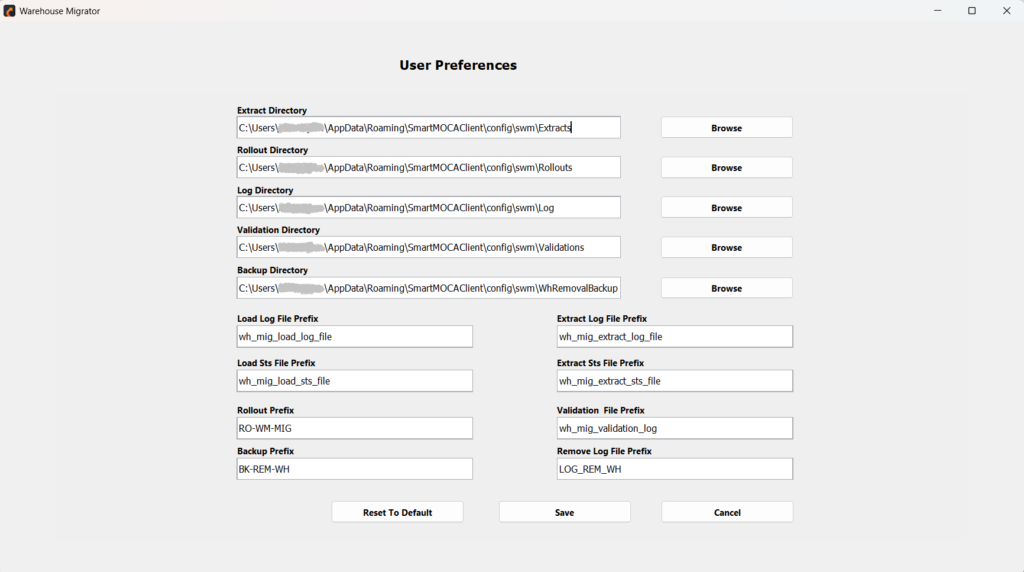
    Customize settings to align with your workflow and migration needs.

    Rollout-Ready Deployment

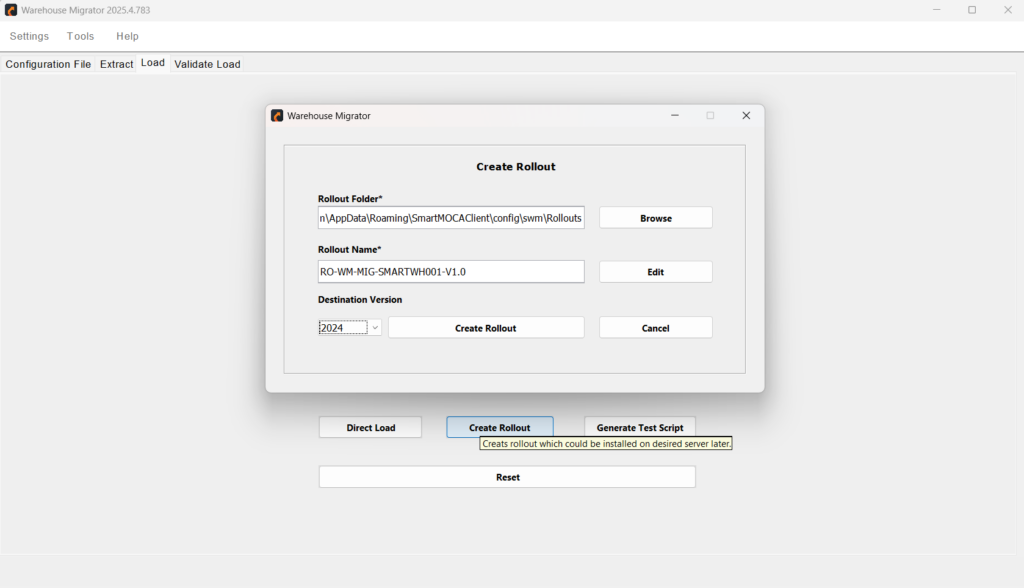
    Easily package configurations into rollout files to enable structured, consistent, and compliant deployments in SaaS environments.

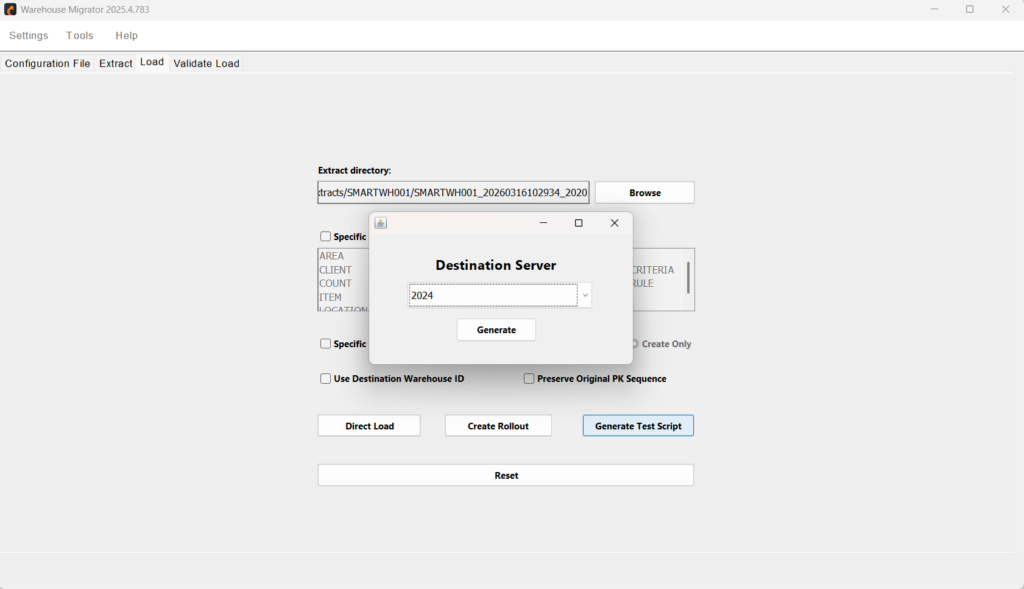
    Test Script Generation

    Validate migrations effectively using controlled test scripts.

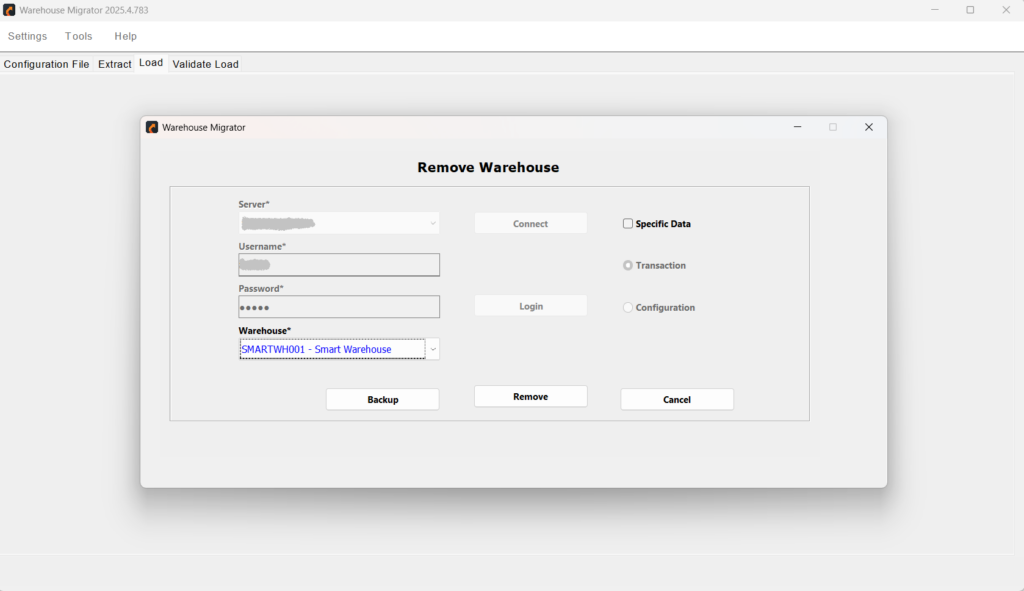
    Warehouse Removal & Cleanup

    Maintain clean and controlled environments by removing unnecessary configurations.

    Why Organizations Choose Warehouse Migrator

    Trusted for its precision, speed, and flexibility to execute seamless Blue Yonder WMS migrations.

    Faster Time-to-Migrate

    Automate extraction, loading, and validation to reduce migration timelines from days or weeks to just hours.

    Improved Data Consistency

    Ensure uniform configuration across environments with controlled, repeatable migration processes.

    Lower Operational Costs

    Minimize rework, downtime, and IT effort reducing overall costs associated with manual data handling.

    Increased Flexibility in Deployment

    Support both rollout-based and direct data loading to align with your organization’s operational or compliance needs.

    Seamless Environment Management

    Easily move data between development, QA, and production environments without disrupting operations.

    Enhanced Auditability and Control

    Gain visibility into every migration step with detailed logs, test runs, and validation reports.

    Key Scenarios Where Warehouse Migrator Makes a Difference

    Real-world scenarios where Warehouse Migrator shines in Blue Yonder migration. 

    Warehouse Cloning

    Duplicate an entire warehouse configuration or subset with a few clicks to support new site onboarding or parallel testing.

    Targeted Data Migration

    Migrate only specific modules or configuration sets like allocation rules or location setups without affecting the rest of the system.

    Real-Time Insights & Dashboards

    Transform live system data into actionable insights, summaries, and visual dashboards for better decision-making.

    Troubleshooting & Debugging

    Identify and resolve issues quickly with full visibility into execution flows, system interactions, and responses.

    Disaster Recovery Testing

    Efficiently extract and reload configurations to validate recovery environments, ensuring readiness for system failovers or outages.

    Configuration Backup and Restore

    Create versioned backups of warehouse configurations and restore them on-demand to recover from errors or rollback unwanted changes. 

    Stay Informed. Stay Inspired

    Unlock the Full Power of Smart AI with Our Latest Articles.

    Got Questions? We've Got Answers

    Get quick answers to common questions about Warehouse Migrator features, functionality, and workflow.

    Does the tool support selective data migration or only full warehouse copies?

    The tool supports both. You can extract and migrate an entire warehouse or select specific modules, tables, or functional areas for targeted data movement.

    How does Warehouse Migrator handle ID-based relationships in the new BY data model?

    Warehouse Migrator includes built-in ID translation capabilities to map ID values to readable codes, preserving relationships and ensuring integrity across environments. 

    Is there a way to validate data after it’s been loaded into the destination environment?

    Yes. The Validate Load feature compares extracted data with the destination database, highlights discrepancies, and generates detailed error logs for review and correction. 

    Can I use Warehouse Migrator for disaster recovery or backup purposes?

    Absolutely. You can extract and save named datasets as backups and reload them when needed, making it a reliable tool for disaster recovery and configuration rollback.

    How does the tool support rollout deployments for Blue Yonder SaaS environments?

    Warehouse Migrator creates rollout packages with customized control files and ordered loading sequences, ensuring compliance with Blue Yonder SaaS deployment protocols.

    Can I transfer data directly between environments without using intermediate files?

    Yes. The tool offers Remote Call functionality that enables direct data transfers between source and target environments, bypassing the need for manual file handling. 

    How does Warehouse Migrator ensure secure server connections and data handling?

    The tool uses authenticated connections with configurable user credentials for all server interactions. It supports secure data management practices throughout the migration lifecycle.

    How does Warehouse Migrator maintain the correct order of data loading?

    The tool enforces a master/child data hierarchy, ensuring that dependent configurations are loaded in the correct sequence to avoid relationship or integrity issues during migration.

    Can I customize what gets extracted during migration?

    Yes. You can tailor extractions by including or excluding specific modules, tables, or columns, enabling precise control over what data is moved between environments.

    Can I remove a warehouse after migration?

    Yes, Warehouse Migrator allows controlled removal of warehouse configurations or selected datasets from connected environments.

    Can I configure server connections within warehouse migrator?

    Yes, users can add, update, and manage multiple server connections securely.

    Does the tool support test script generation?

    Yes, it supports generating test scripts for validating migration with sample datasets before full execution.

    Get Further Details About Warehouse Migrator

    Streamline your configuration transfers, reduce errors, and take control of your warehouse data workflows  all with just a few clicks. 

    Get More Details About Warehouse Migrator

      Copyright © 2025 Smart IS International. All Rights Reserved.

      Microsoft is a registered trademark of Microsoft Corporation Oracle, JD Edwards and Peoplesoft are registered trademarks of Oracle Corporation. Blue Yonder is a registered trademark of Blue Yonder Group Incorporated. All trademarks are property of their respective owners.