















Meet the Next Generation of MOCA Client
Now featuring an AI-powered assistant that understands your environment, generates MOCA code, creates documentation, analyzes logs, and accelerates Blue Yonder development.
Supercharge Your Blue Yonder Development
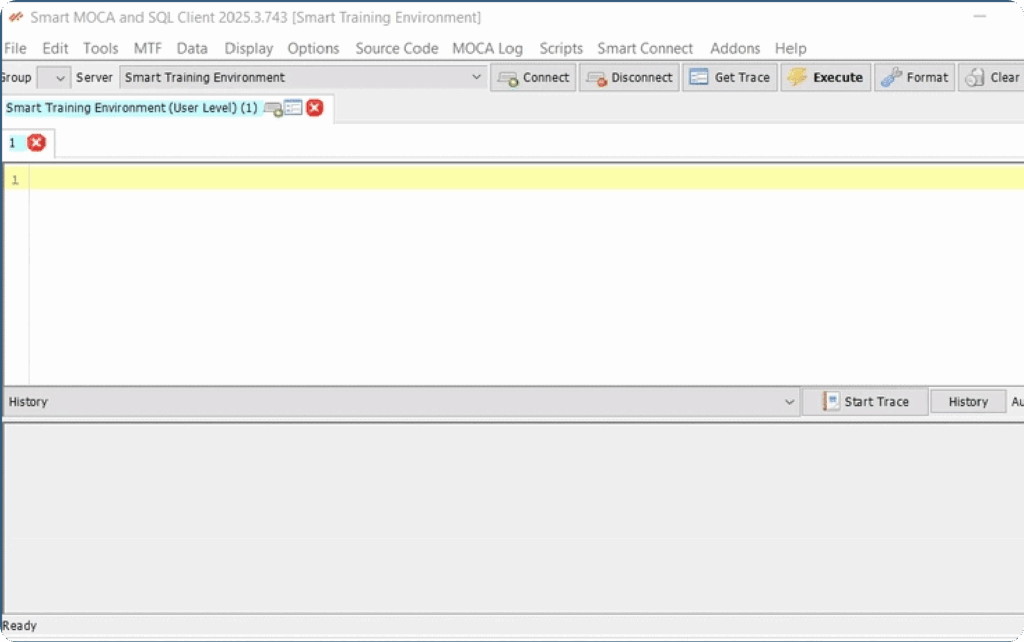
The MOCA Client is an intuitive, all-in-one Blue Yonder development tool for accessing, prototyping, and troubleshooting Blue Yonder applications. It features multi-tab navigation, built-in security, integrated change management, and robust audit trails. This tool allows developers to access and manage environments at the MOCA Command Level efficiently, ensuring seamless execution and integration.
developers trust MOCA Client
Downloads
The MOCA Client has been widely adopted, reflecting its popularity and effectiveness among BY developers.
Organizations
Companies of all sizes have implemented the MOCA Client, showcasing its versatility across different industries.
40%
Faster Development
100%
Blue Yonder Compatible
24/7
Developer Support
Active Users
Built for Developer Productivity
MOCA Client provides powerful tools designed specifically for Blue Yonder developers
Developer-Friendly Interface
Designed with developers in mind, MOCA Client offers an intuitive interface that makes complex tasks simple and efficient.
- A modern, intuitive UI designed for both beginners and experienced developers.
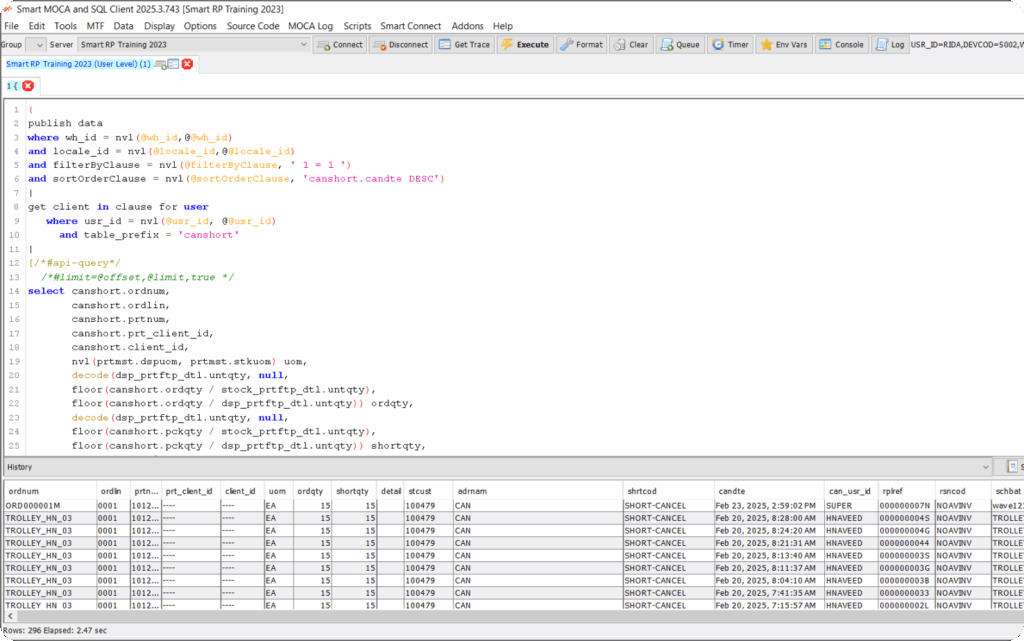
- Intelligent auto-complete, keyboard shortcuts, and context-aware recommendations for streamlined query writing.
- Effortlessly edit, save, and reuse commands with built-in history tracking and improved workflow efficiency.
- Comprehensive documentation and step-by-step guides to ensure ease of use and maximum productivity.
- Developer Friendly Interface
- Seamless Blue Yonder Integration
Seamless Blue Yonder Integration
MOCA Client offers direct access to Blue Yonder data while ensuring optimized performance and robust security, respecting your existing infrastructure.
- Direct access to Blue Yonder data with high-performance execution and minimal latency.
- Prevent unintended commits in production with configurable policy enforcement and registry settings.
- Enterprise-grade security standards to maintain compliance and prevent unauthorized modifications.
- Fully integrates with existing client infrastructure, ensuring minimal disruptions and easy adoption.
Smart Apps Connectivity
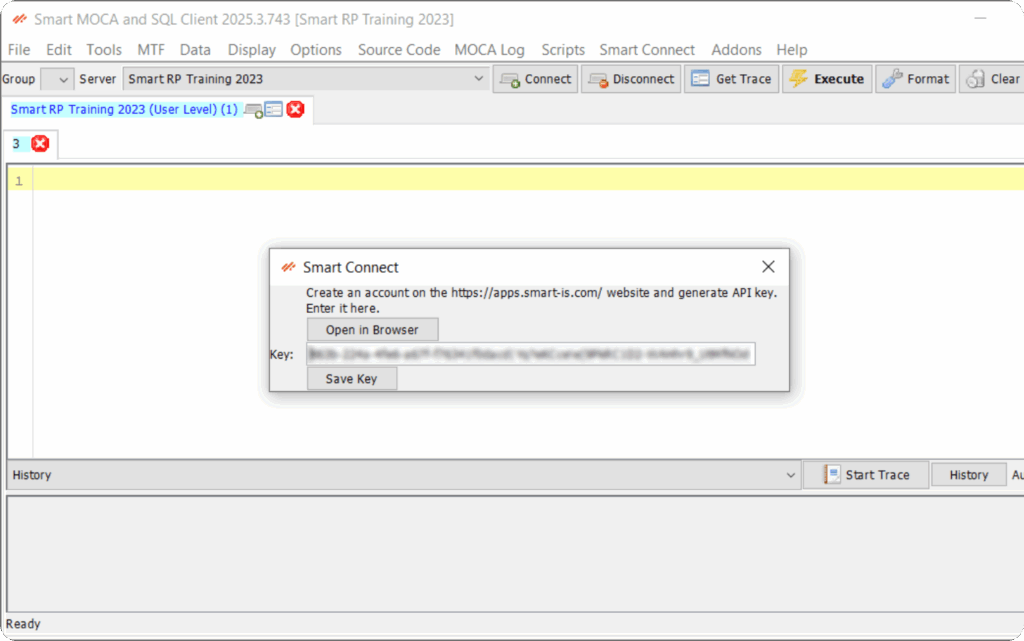
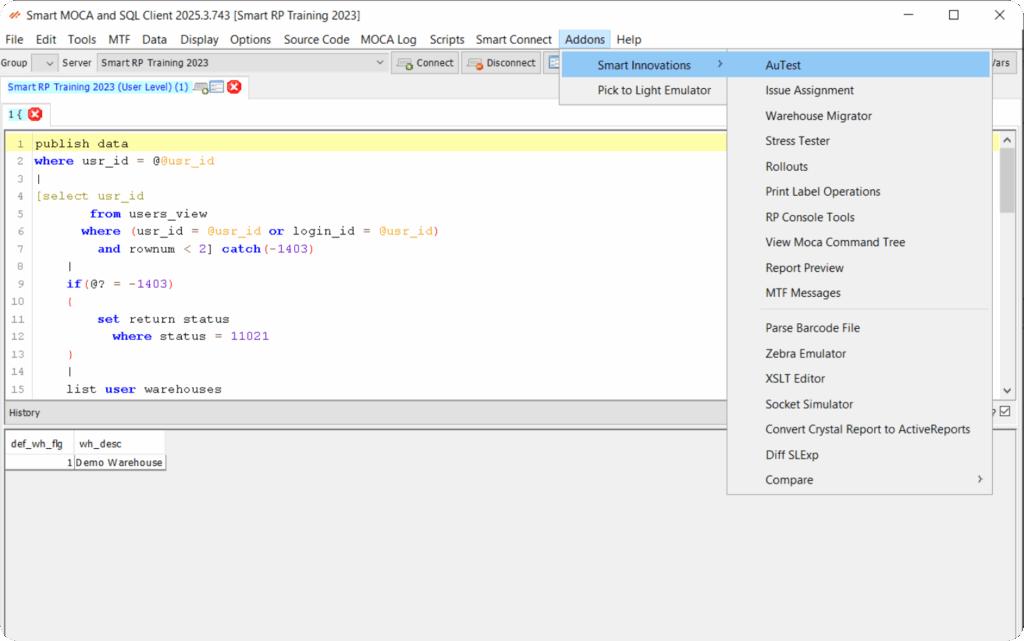
MOCA Client seamlessly integrates with SmartApps to streamline automation, issue tracking, and data migration with tools like AuTest, WH Migrator, and Issue Assignment.
- Seamlessly integrates with SmartApps tools like AuTest, WH Migrator, and Issue Assignment for a connected workflow.
- Automatic transfer of saved server details, eliminating repetitive manual setup.
- Streamlined license management for all SmartApps-enabled products, simplifying administration.
- Smart Apps Connectivity
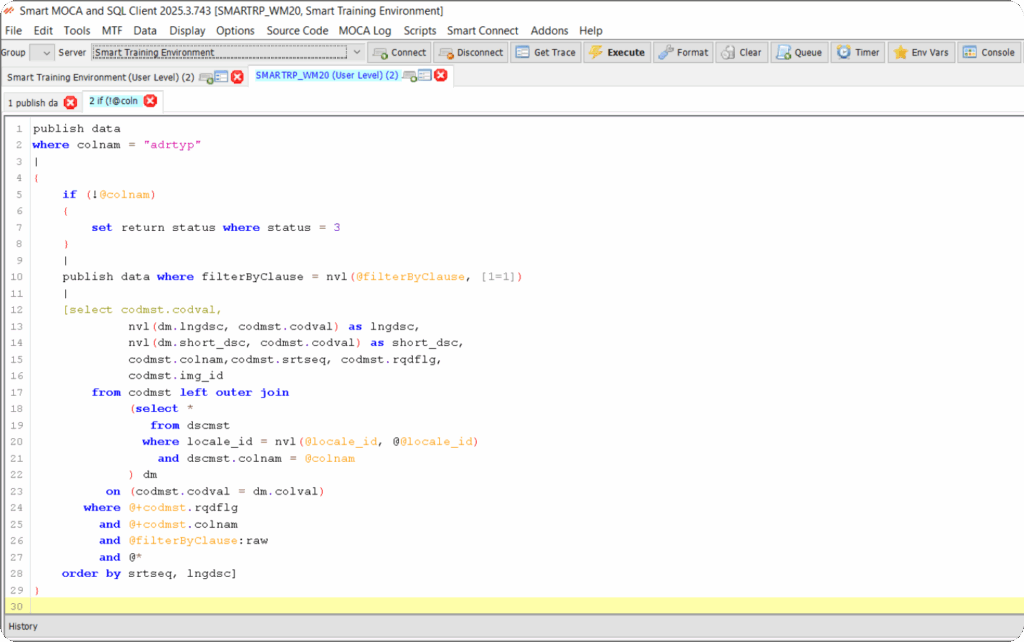
- Multiple Connection Tabs
Multiple Connection Tabs
Unlike WinMSQL, MOCA Client allows you to open multiple tabs for connections without having to close & restart the application, saving you valuable development time.
- Open and manage multiple connection tabs simultaneously without needing to restart.
- Cancel long-running queries or executions without disrupting your workflow.
- Effortless switching between environments to accelerate development across multiple instances.
Add-ons & Extensions
Unlock the full potential of MOCA Client with a suite of powerful add-ons and extensions designed to enhance functionality, automation, and user experience.
- Automate testing and validation with integrated AuTest support.
- Seamlessly migrate warehouse data across environments with the built-in Warehouse Migrator.
- Track and log development changes using Issue Assignment for enhanced visibility and accountability.
- Additional tools for report viewing, label printing, rollout building, report format conversion, and database comparison to streamline your workflow.
- Add-ons & Extensions
- Advanced Debugging & Troubleshooting
Advanced Debugging & Troubleshooting
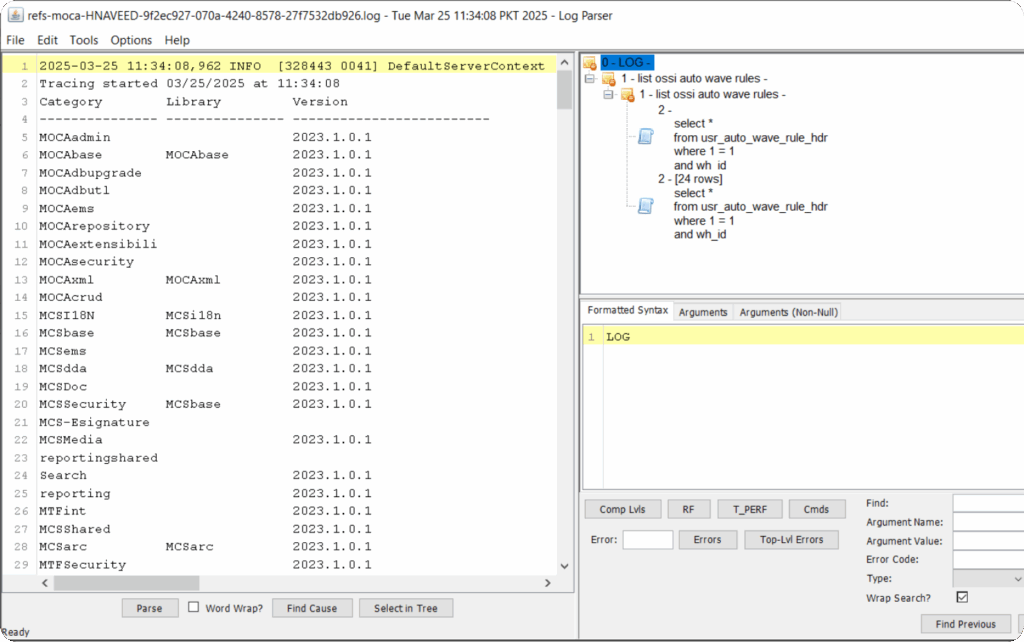
Moca Client allows to easily detect and resolve issues with MOCA Client’s built-in debugging tools, ensuring seamless Blue Yonder implementations.
- Real-time error detection and alerting for faster issue resolution.
- Detailed query logs and execution insights for pinpointing and resolving problems efficiently.
- Optimized debugging workflow, minimizing downtime and accelerating fixes for critical issues.
Why MOCA Client
MOCA Client empowers developers with the tools and capabilities needed to streamline Blue Yonder development
Time Savings
Eliminate the need to close and restart connections, saving up to 40% of your development time.
Efficient Performance
Perform multiple tasks in the most efficient manner possible with optimized query execution.
Infrastructure Compatibility
Works with your existing Blue Yonder infrastructure without requiring major changes.
Developer Empowerment
A tool created by developers for developers, designed to address real-world challenges.
Comprehensive Documentation
Detailed guides for both beginners and experienced users to master all features.
Continuous Improvement
Regular updates and new features based on developer feedback and needs.
Where MOCA Client Makes a Difference
Real-world scenarios where MOCA Client shines in Blue Yonder development.
Database Query Optimization
Developers use MOCA Client to test and optimize complex queries against Blue Yonder databases without the limitations of WinMSQL.
Multi-Environment Development
Work across development, testing, and production environments simultaneously with multiple connection tabs.
Data Migration Projects
Efficiently move and transform data between Blue Yonder instances with powerful query capabilities.
Troubleshooting & Debugging
Quickly identify and resolve issues in Blue Yonder implementations with direct data access and efficient querying.
Stay Informed. Stay Inspired
Unlock the Full Power of MOCA with Our Latest Articles.
Working with the Blue Yonder (BY) WMS application can take…
- Khurram Ahmad
- May 26, 2020
In this blog post, I list some handy MOCA commands…
- Saad Ahmad
- February 13, 2019
Querying JDA/BY WMS Data for Adhoc Analysis with RedPrairie Consultants…
- Saad Ahmad
- February 7, 2019
Overview JDA/BY has a very useful feature that allows for…
- Saad Ahmad
- January 15, 2019
Got Questions? We've Got Answers
Get quick answers to common questions about MOCA Client’s features, functionality, and workflow.
Unlike WinMSQL, the MOCA Client supports multiple connection tabs, eliminating the need to close and reopen the application when switching environments. It also features auto-complete, intelligent suggestions, and advanced debugging tools for more efficient development.
Yes. The MOCA Client is 100% compatible with Blue Yonder and integrates seamlessly with existing infrastructure without requiring major changes or additional configuration.
MOCA Client integrates with SmartApps, including AuTest (automated testing), WH Migrator (warehouse data migration), and Issue Assignment (development tracking), enabling a connected, automated workflow across your development pipeline.
With features like intelligent auto-complete, multi-tab connections, reusable query history, and advanced workflow tools, MOCA Client helps developers save up to 40% of their time compared to legacy tools.
The tool includes enterprise-grade security features, configurable policy enforcement to prevent unintended changes in production, and robust user access control to ensure all development complies with your organization’s security standards.
MOCA Client includes robust audit trail functionality, making it easy to track command execution history, monitor changes, and ensure development accountability across teams.
MOCA Client provides direct access to Blue Yonder data at the MOCA command level, enabling deep data interrogation, transformation, and troubleshooting without latency or data access restrictions.
MOCA Client offers detailed execution logs, real-time error messages, and insights into query performance, making it easier to isolate and resolve issues quickly.
MOCA Client is a desktop application that requires installation. It is lightweight, regularly updated, and built for high performance, unlike browser-based tools that may be limited in capability or speed.
Yes. With its multi-tab, multi-environment support, developers can run parallel queries, test across environments, and validate deployments without interrupting ongoing work in other instances.
MOCA Client provides direct access to Blue Yonder environments via the MOCA layer, eliminating the need to access the Application Server directly. This abstraction simplifies the development workflow and reduces potential risks tied to direct server interactions.
MOCA Client allows enterprises to enforce policies such as minimum version requirements, restricted environment access, and registry-based settings. These controls help standardize tool usage across teams and maintain compliance with internal IT governance frameworks.
With the integrated Cloud Connect feature, MOCA Client allows users to directly access the AppSmart website to manage licenses, generate app keys, and update profile information. This eliminates manual license handling and ensures all SmartApps are properly licensed and up to date.
Try MOCA Client Today — It’s on Us!
Download MOCA Client today and experience the difference in your Blue Yonder development workflow.
Download MOCA Client
Copyright © 2026 Smart IS International. All Rights Reserved.


