






A useful test of an architecture is what happens when you ask it to do something more sophisticated.
Does every new capability require another integration, another copy of business logic, and another application to maintain? Or can it emerge by composing what the platform already understands?
This question has guided the evolution of SmartForge.
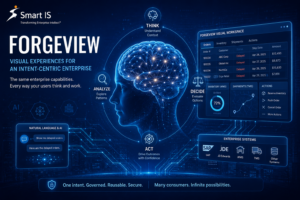
In earlier articles, I described how we expose system capabilities as intents, give those intents enterprise meaning, and operationalize them beyond an individual conversation. With ForgeView, I explored how the same capabilities can support visual workspaces.
Agents carry that evolution further.
The important story is how each new layer builds on the same foundation. As the product becomes more sophisticated, the underlying concepts remain clean.
Start with what the enterprise can do
Consider a few capabilities an enterprise already possesses: retrieve orders, check inventory, inspect warehouse waves, list users, or create a support ticket.
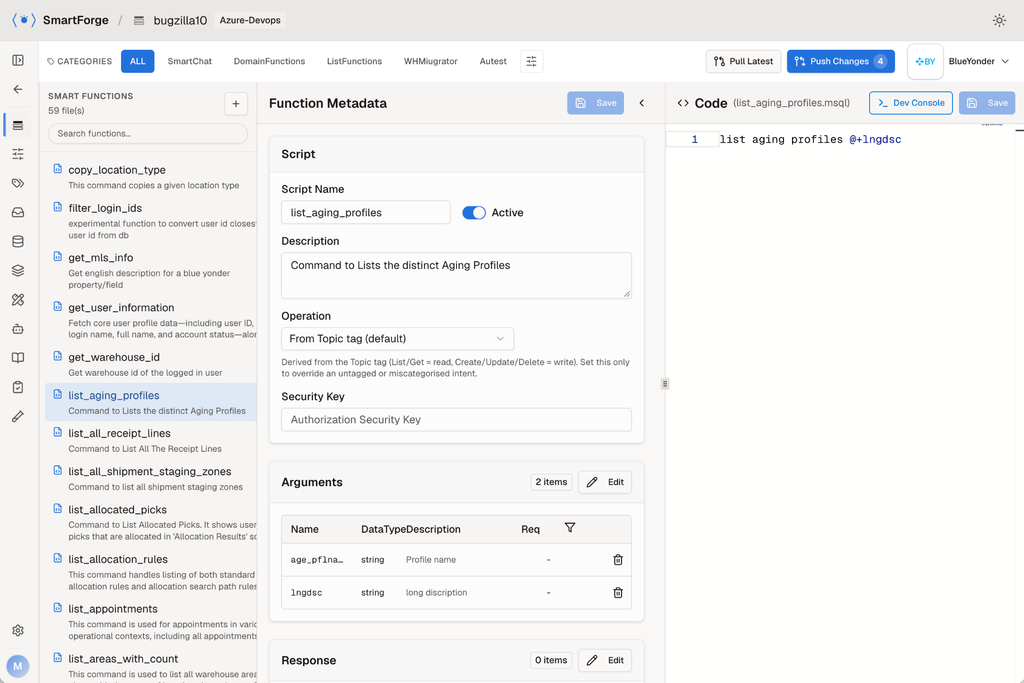
Each has a meaning, inputs, outputs, and an implementation in an underlying system.
SmartForge represents these capabilities as intents. An intent may execute through Blue Yonder MOCA, SQL, a REST API, or another supported implementation. The consumer works with the capability while SmartForge handles its connection to the system.
Once exposed to an agent, that intent becomes a tool.
Agents also use supporting tools to read saved results, search information, write SQL, and analyze data. These help the agent work with information; intents supply the enterprise capabilities it can invoke.
That distinction keeps the foundation clear. We define what the enterprise can do, then compose those capabilities into useful experiences.
The investment in an intent carries forward into chat, agents, workflows, visual workspaces, and reports.
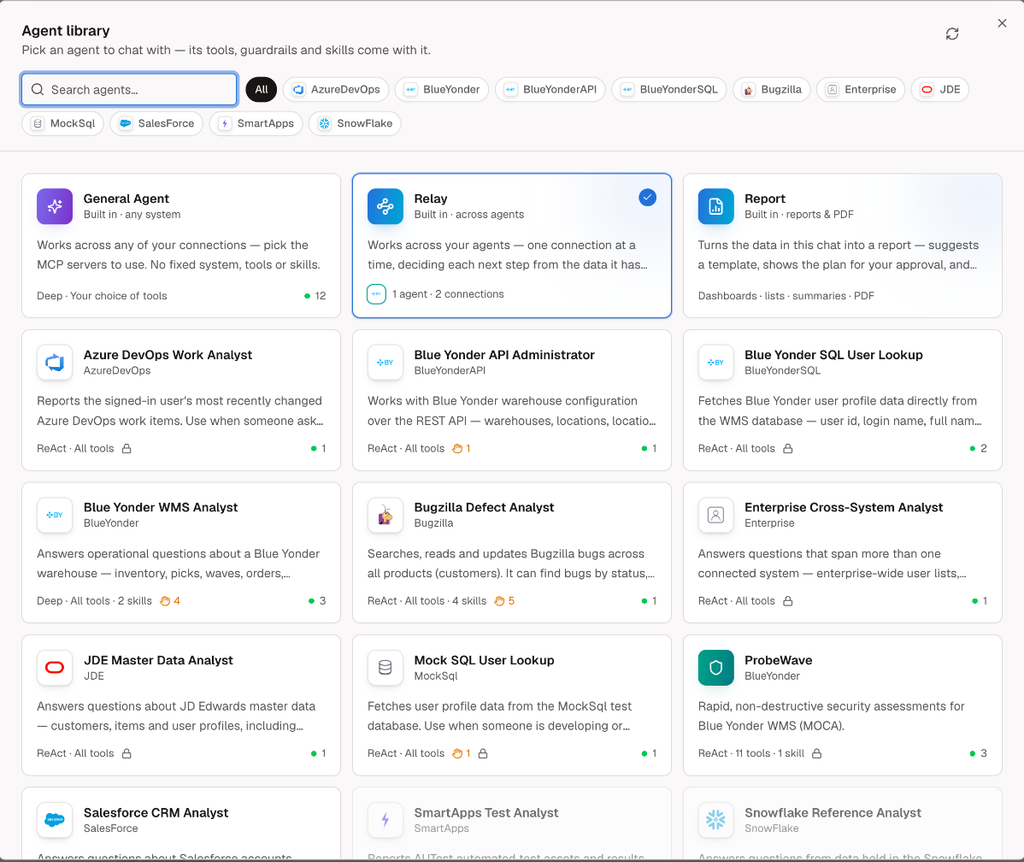
An agent is a specialist you can talk to
Once capabilities are available, the next question is how to organize their use.
Giving a model access to a long list of tools does not, by itself, define a useful specialist. A specialist needs a purpose, relevant capabilities, procedures, and boundaries.
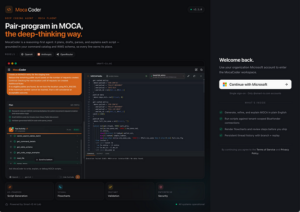
In SmartForge, an agent is defined through its prompt, permitted tools, guardrails, reusable skills, and user memory.
A Blue Yonder specialist, for example, knows the work it is there to perform and the intents available to it. The user can ask:
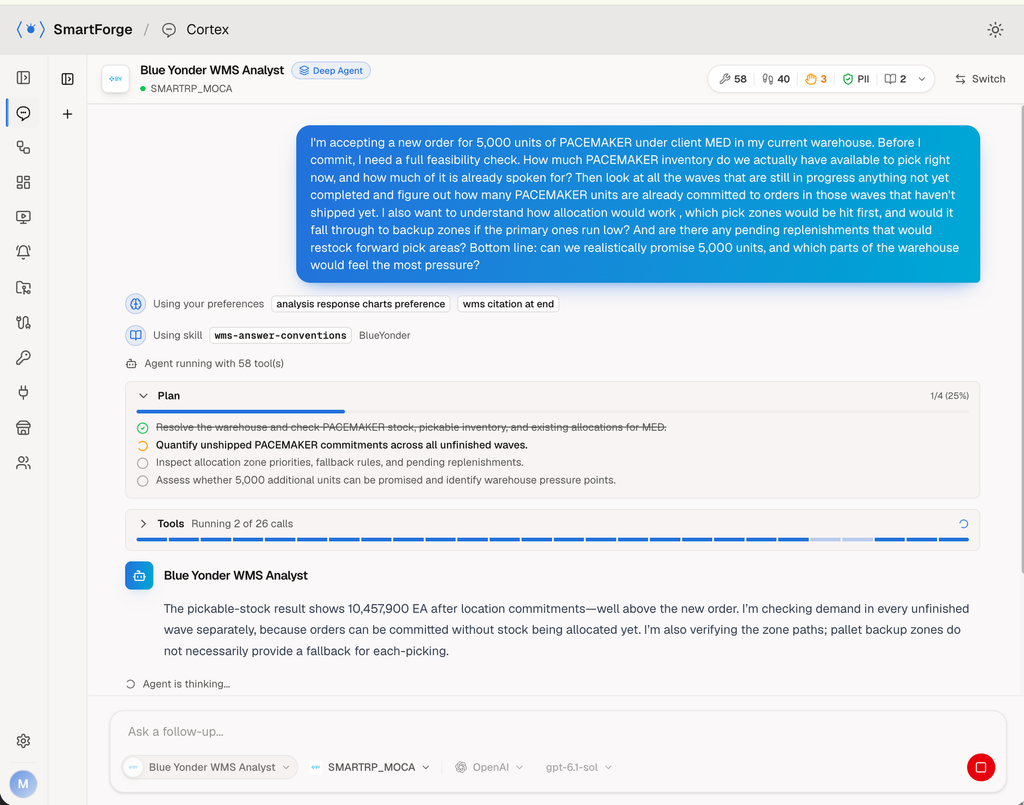
Can we promise 5,000 units of PACEMAKER, and which parts of the warehouse would feel the pressure?
The agent plans the investigation, invokes the relevant capabilities, and develops its findings. Through Cortex, the user follows the work and sees which agent and system supplied the information.
The user expresses a business question. The specialist handles the choice of tools.
This adds a useful level of abstraction without losing the connection to the underlying execution.
Specialists become more useful when they work together
Business questions regularly cross system boundaries.
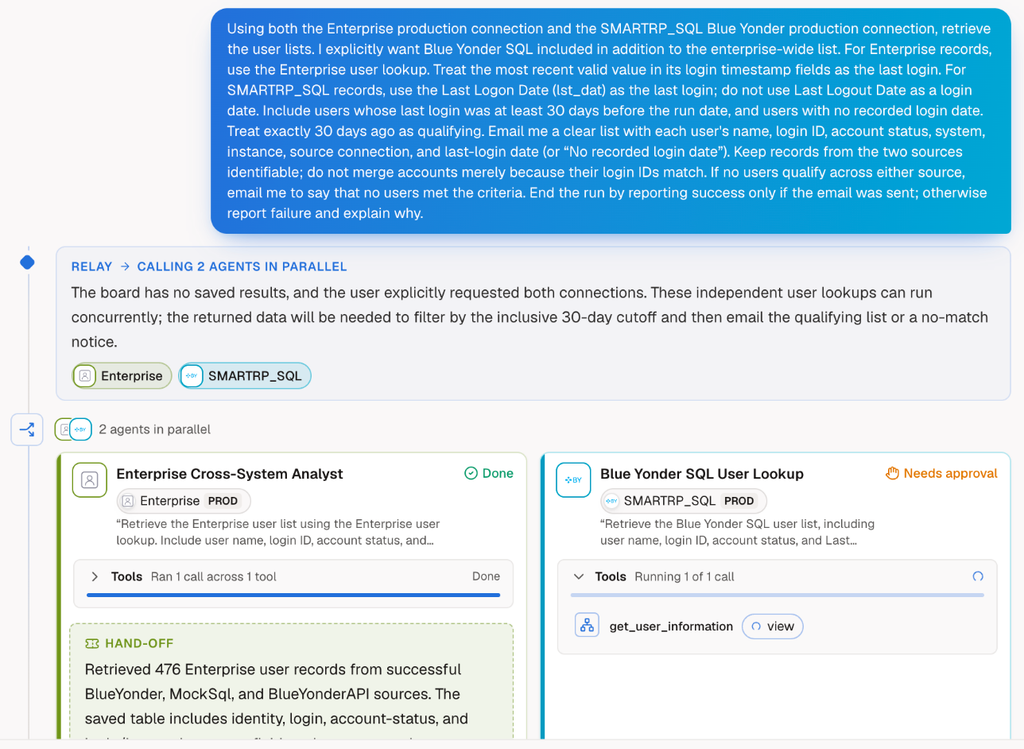
A warehouse investigation might need information from Blue Yonder, user details from an enterprise directory, and a follow-up action in a support system.
SmartForge’s Relay agent coordinates that work. It breaks a request into tasks, delegates them to the appropriate specialists, and brings the findings together. Independent tasks can run in parallel; dependent tasks carry forward what earlier steps discovered.
There is an important architectural distinction here.
The enterprise capabilities remain defined as intents. Specialists organize their use within a particular responsibility. Relay coordinates those specialists around a broader objective.
Each layer has a clear job.
Results also remain available as structured data. Agents can query, join, and compare saved results rather than repeatedly carrying entire datasets through conversation. This gives orchestration a practical foundation for working across systems.
Adding another specialist extends the ecosystem through the same pattern.
Autonomy changes who initiates the work
An interactive investigation begins when someone asks a question.
But many useful questions recur:
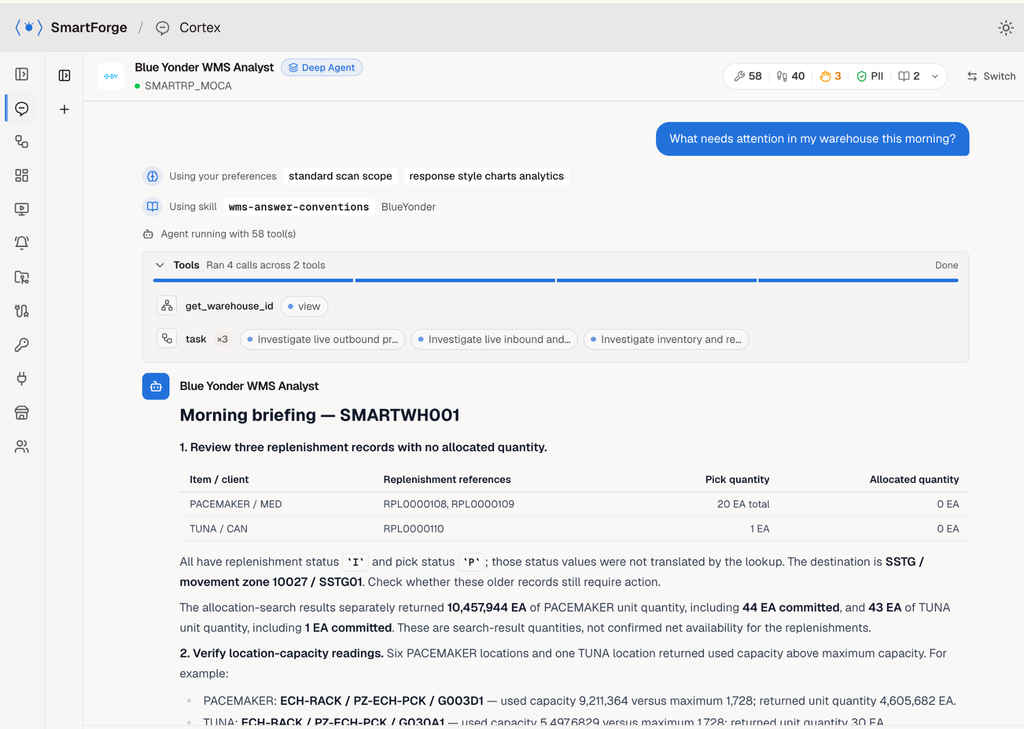
What needs attention in my warehouse this morning?
A user should be able to establish that work once and have it run on schedule.
SmartForge’s Reflex provides that progression into autonomous execution. The capabilities and specialists already used interactively become available for recurring work.
At this point, however, we need to preserve another distinction: a defined process and an open-ended investigation need different execution modes.
Sophistication includes knowing which one the work requires.
Operational mode: define the process, then execute it
Consider this request:
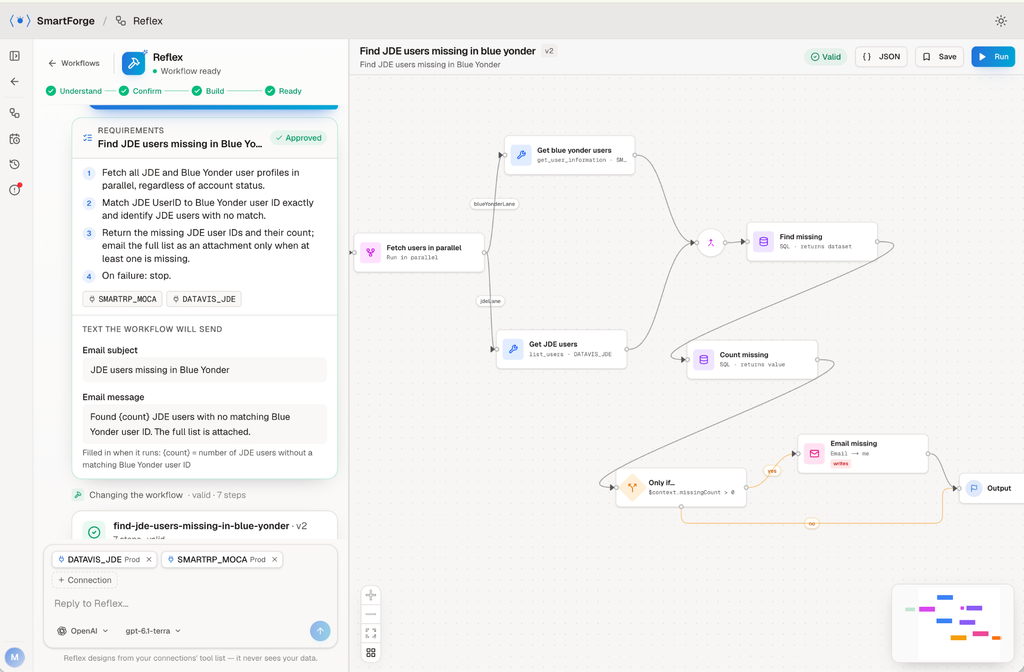
Every night, check that each JDE user also exists in Blue Yonder, and email me the ones that are missing.
The process can be defined: retrieve users, compare them, identify exceptions, and send the report.
In operational mode, Reflex helps turn the request into a fixed workflow. It clarifies requirements, builds the steps, and checks them against those requirements before scheduling.
AI assists in designing the process. The resulting workflow executes those fixed steps without an LLM at runtime.
That separation has practical consequences. Repeated runs consume no model tokens, and the workflow’s actual business data is not passed to the model. Reflex designs from the available tool definitions.
The run is also inspectable. Users can examine step status, inputs, returned rows, and execution timing.
Once the process is defined, execution follows that definition.
Reasoning mode: investigate what the situation requires
Now consider a different request:
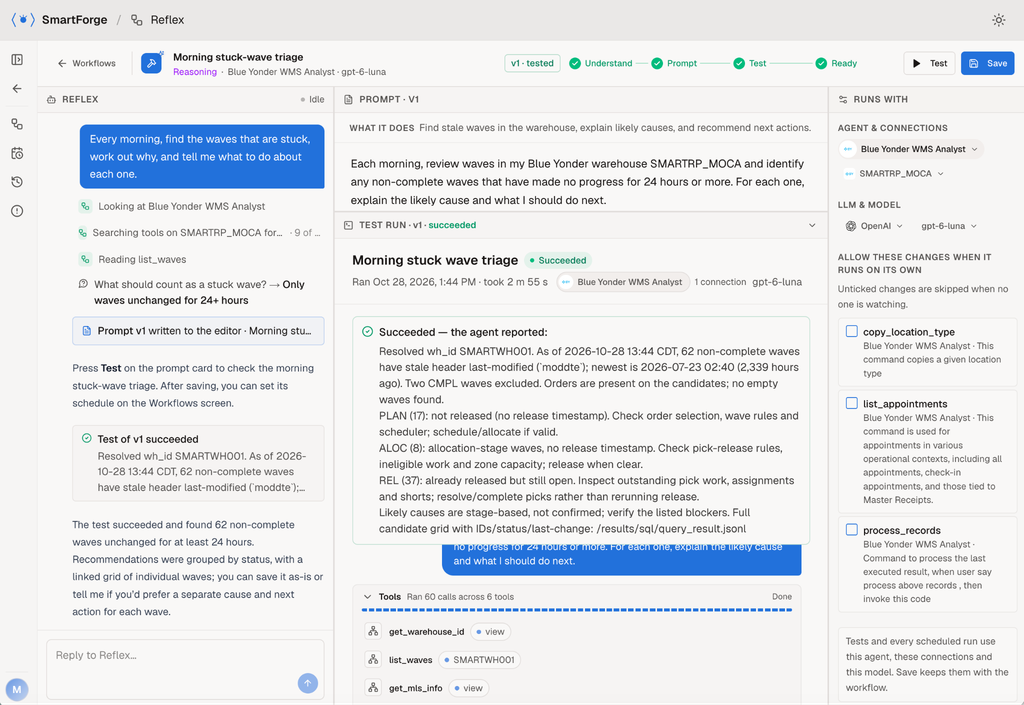
Every morning, find the waves that are stuck, work out why, and tell me what to do about each one.
The objective is clear, but the investigation may change each day. One wave may require an inventory investigation; another may lead to picking activity or shipment dependencies.
In reasoning mode, the agent plans the work each time it runs. It chooses capabilities, evaluates findings, and adapts the investigation to the situation.
This mode uses the selected model at runtime and shares the information needed for that reasoning, subject to the configured controls. Its record includes the agents called, tool inputs and responses, and the reported outcome.
Where unattended writes are needed, those permissions are explicitly configured when the task is saved.
Both modes belong in the same product because both kinds of work exist in the enterprise.
The choice follows the nature of the work: operational mode for a defined process; reasoning mode for analysis, problem identification, and situations requiring judgment.
The same capability can become a screen
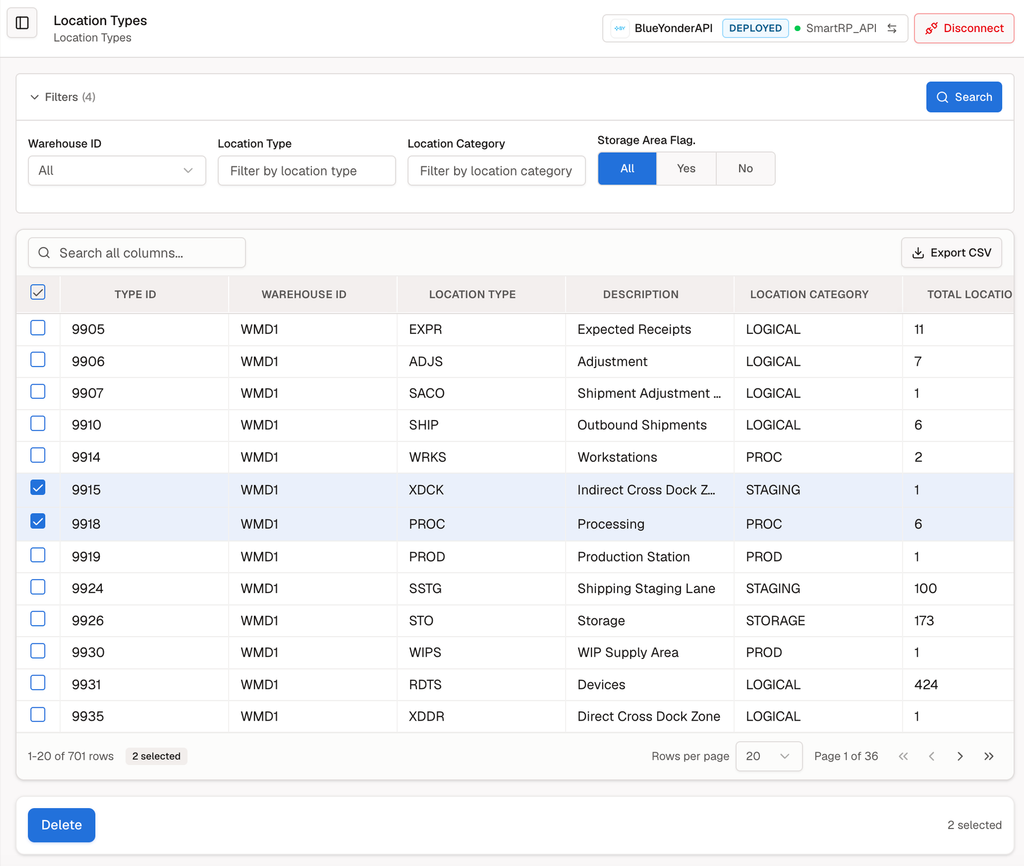
Conversation is valuable for expressing a question and exploring an unfamiliar problem. Operational work also involves reviewing rows, filtering results, comparing exceptions, and selecting records for action.
ForgeView applies the same architectural principle to that experience.
An intent’s arguments become filters. Its results become a table users can search, sort, and export. Write intents provide actions against selected records. Capabilities from multiple systems can participate in one workspace.
The underlying capability remains reusable across these experiences.
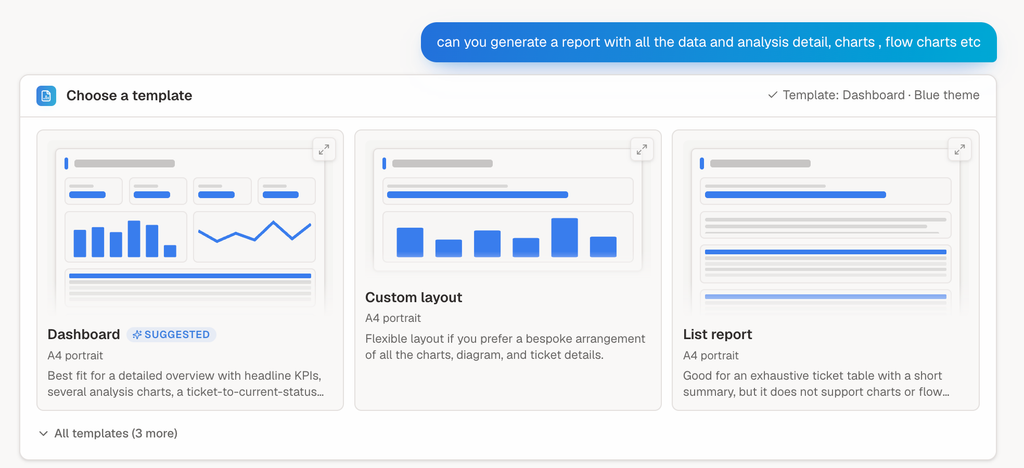
Similarly, findings from a conversation can become a chart, a dashboard tile, or a structured PDF through the Report agent. Users can shape the report’s layout, charts, and tables before generating it.
These experiences make the architecture tangible. A capability defined once becomes useful in several forms, according to the task and the person doing it.
Keep model choice separate from enterprise capability
The model is another part of the architecture that should be able to evolve independently.
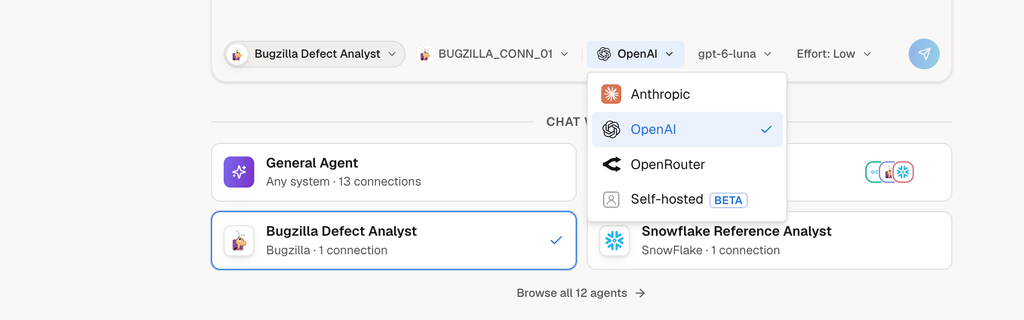
SmartForge supports model choice for chats, agent runs, and workflows, including providers such as OpenAI, Anthropic, and Google, as well as models available through OpenRouter.
Agents are defined around their responsibilities and available capabilities. The enterprise intent retains its meaning when the selected model changes.
Models differ in their behavior and suitability, so choosing one still matters. But connecting the enterprise to a new model should not require rebuilding the enterprise’s capabilities.
A clean boundary allows improvements in model technology to become useful without undoing the work underneath.
Data protection is not an afterthought – it is a core concept
As capabilities become more sophisticated, control over data must remain explicit. In SmartForge, that control is part of the architecture: whether actual data reaches a model, what an agent sees, what a user sees, and where the model runs.
Operational mode: describe the problem, keep the data
Operational mode follows a strict separation:
I will not give you my actual data. I will describe the problem, perhaps provide an illustrative example, and ask you to generate the code. I will then run that code against the actual data myself.
SmartForge applies this pattern by using AI to design the executable process, then executing it against the actual data without passing that data to the model. The organization controls what it includes in the problem description and any examples it chooses to share.
This provides absolute control over sharing actual business data with the model, with a deliberate tradeoff: the model cannot directly investigate information it never receives. Some of the functionality available through reasoning over actual results is therefore unavailable in this mode.
This separation has been part of SmartForge for some time. It is a foundational execution choice that carries forward as the product evolves.
What does the agent see?
When the work requires reasoning over data, SmartForge supports rules that mask protected values before they reach the agent. Those rules remain under the organization’s control.
The organization can choose one-way masking, so the original value is not restored, or reversible protection, allowing protected values to be decrypted on the return path.
This makes the agent’s view of the data an explicit design decision. The organization determines which information the agent receives and in what form.
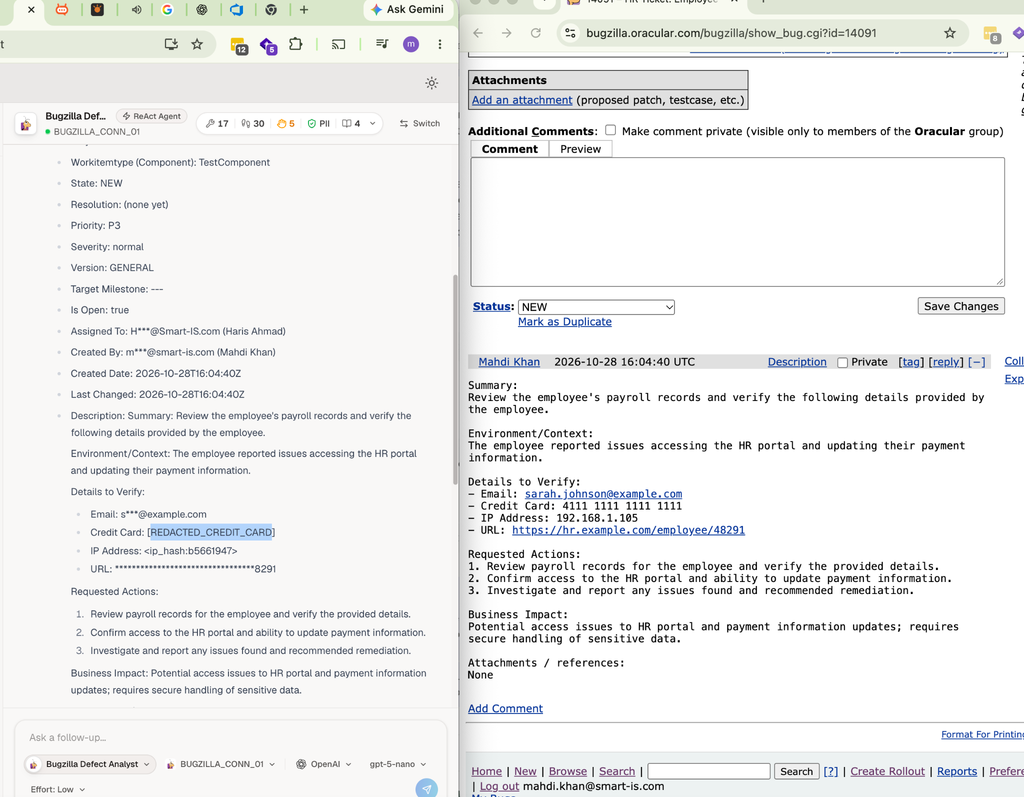
Enabled Guardrails
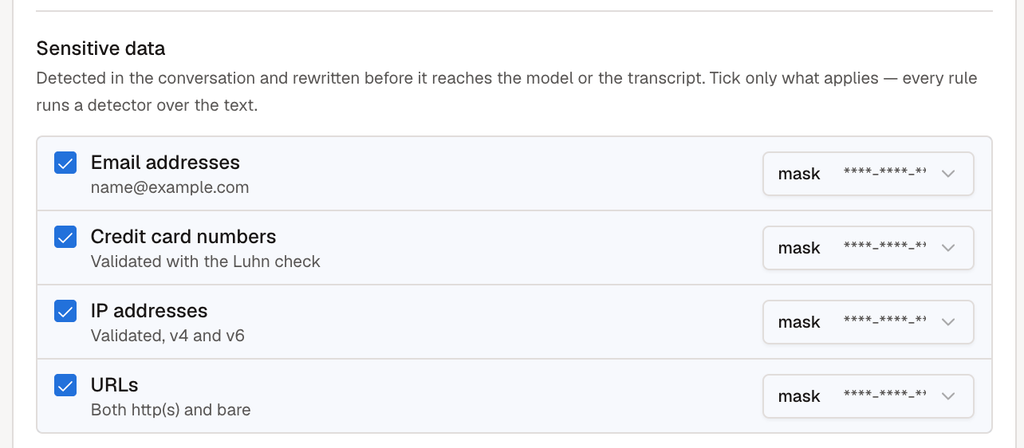
What does the user see?
The agent’s view and the user’s view are separate concerns.
An agent may be permitted to process protected information while the person receiving its answer should see a masked version. SmartForge supports protection at presentation as well, allowing sensitive values to be hidden when results are shown to users.
Permission to use information in an analysis does not automatically mean permission to display it in the answer. Both boundaries can be controlled.
Where does the model run?
SmartForge’s model-agnostic architecture also allows an organization to use a self-hosted model.
That gives organizations another way to address concerns about sending information to an external model provider: they can keep model processing within infrastructure they control. Self-hosting can alleviate many concerns about external data exposure, alongside the controls governing what agents and users receive.
These choices fit the same architectural principle: the enterprise capability, execution mode, data visibility, and model deployment each have a defined responsibility. Organizations can choose the combination appropriate to their work and their data.
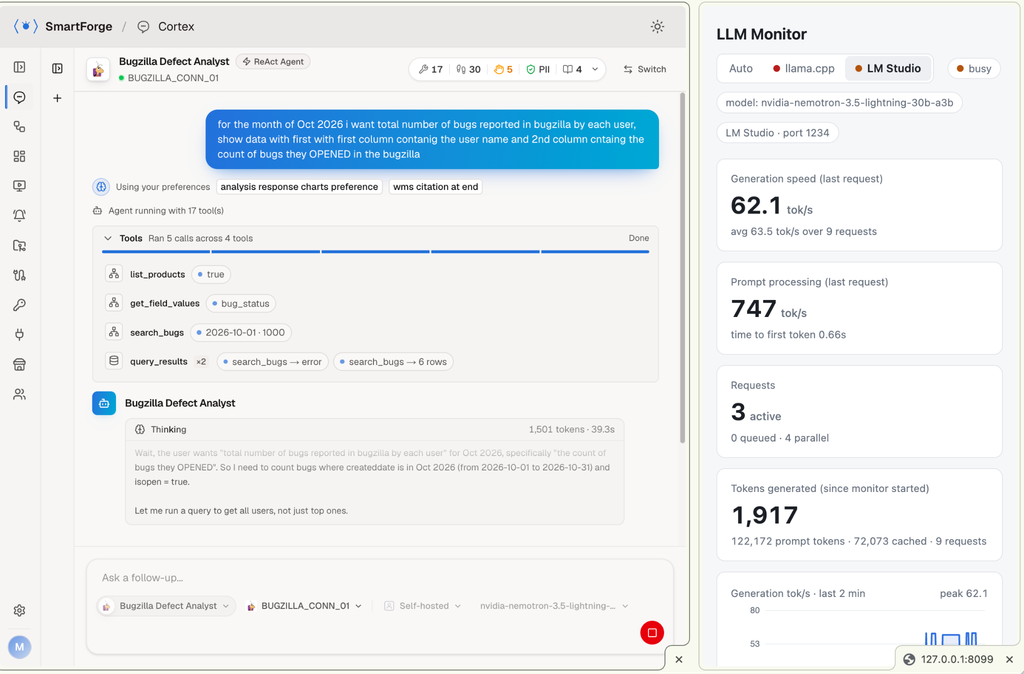
nvidia-nemotron-3.5-lightning-30b
This architecture is running in a product
These distinctions are implemented in SmartForge.
Cortex provides the conversational experience. Specialist agents work with defined capabilities. Relay coordinates them. Reflex turns recurring work into operational or reasoning execution. ForgeView provides visual consumption, and Report turns findings into structured documents.
Consider a concrete example from the product: ProbeWave, a specialist for scanning Blue Yonder WMS instances and producing a graded security report with remediation recommendations.
A recurring request can ask it to scan the instances each month, have Relay identify the critical findings, create a Bugzilla ticket for each, and email a report of the tickets created. Ticket creation is the explicitly authorized write; the scans do not change the systems.
That scenario brings together a specialist, cross-system coordination, scheduled reasoning, controlled action, and reporting.
It is a demonstrable use of the same architecture described throughout this series.
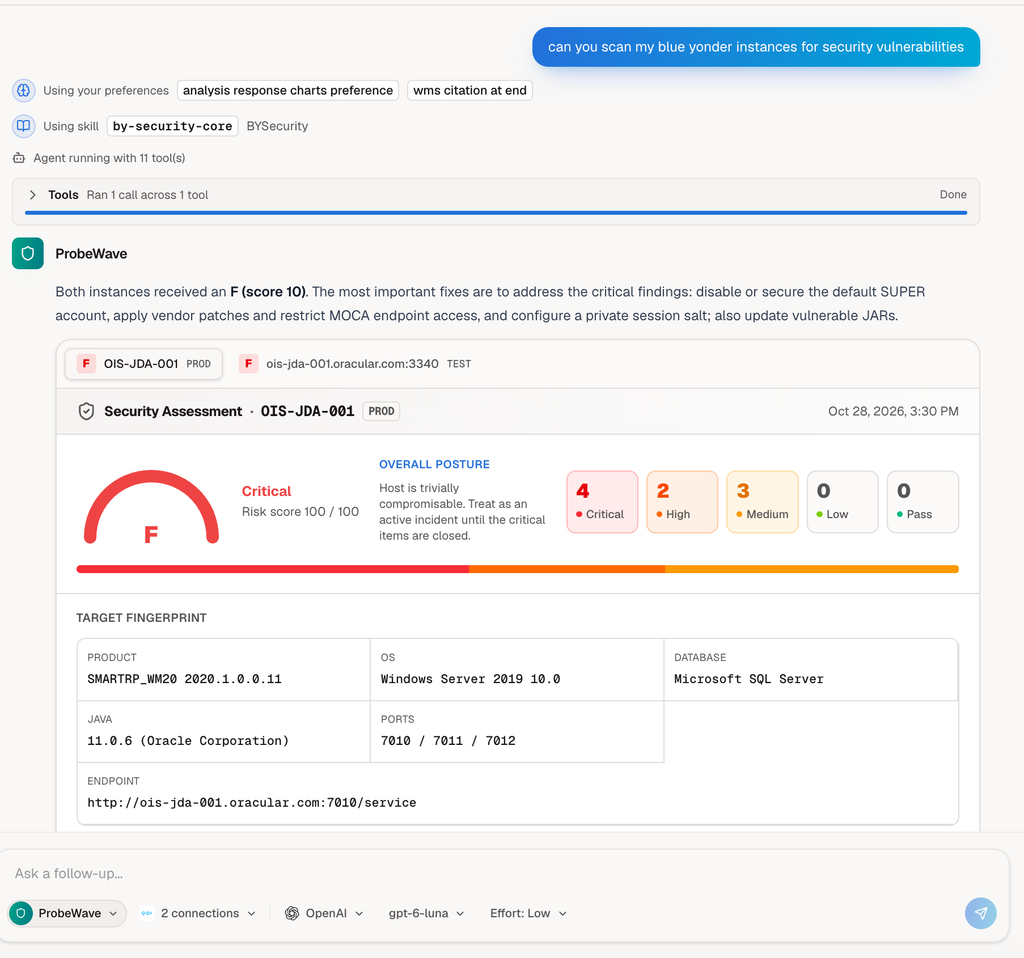
More sophistication, with concepts that stay clear
The progression has been deliberate.
Systems expose capabilities as intents. Agents use those capabilities within defined responsibilities. Relay coordinates specialists. Reflex runs recurring work in the mode it requires. Visual workspaces and reports provide additional ways to consume the results.
Each step raises the level at which a user can express what they need.
The implementation details remain accessible for inspection, while users can work in terms of capabilities, responsibilities, and business outcomes.
For me, that is what conceptual purity means in a working product: clear responsibilities, reusable capabilities, and new sophistication built through composition.
SmartForge’s evolution follows that principle. The product grows more capable while the foundation remains understandable.
To see these capabilities in action, contact me at saad.ahmad@smart-is.com or visit Smart IS.