








Being a developer isn’t always smooth sailing. You’re constantly switching between tools, tackling tricky troubleshooting, and trying to keep everything secure and compliant. It’s a lot to juggle, and inefficiencies can make it even tougher to stay on top of your game. That’s where the MOCA Client comes in. Built by Smart IS, this all-in-one tool was designed with developers in mind. It brings everything you need: development, troubleshooting, prototyping, and more together in one easy-to-use platform.
No more jumping between tools or dealing with clunky interfaces. The MOCA Client streamlines your workflow and helps you focus on what matters: building great solutions. This blog will explain the standout features and benefits that make developers love the MOCA Client.
The Origins of Smart MOCA Client
Developers working with early tools like RedPrairie’s WinMSQL or Blue Yonder’s initial offerings faced constant hurdles that slowed them down. One of the biggest frustrations was single-tab navigation. If you needed to switch between connections, you had to close one session and open another, which was tedious and time-consuming. On top of that, there was no way to cancel a command in progress.
If something froze, your only option was to force-close the application, lose your work, and start over. These inefficiencies were more than just annoying; they wasted time and hampered productivity. Smart IS saw an opportunity to solve these issues and deliver a better solution. That’s how the MOCA Client was born.
Designed to address the shortcomings of its predecessors, it introduced features that developers had long been asking for: multi-tab navigation for seamless switching between environments and the ability to cancel commands without disrupting the entire session.
Also Read: How SmartViu Enhances Blue Yonder Warehouse Management System’s Visibility
Unified Development Platform
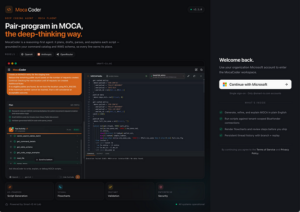
One of the standout benefits of the MOCA Client is its ability to bring everything developers need into a single, unified interface. Say goodbye to juggling multiple tools or windows. This platform lets you handle development, prototyping, troubleshooting, and application building all in one place.
The multi-tab navigation is a game-changer, allowing you to work seamlessly across multiple environments without the constant back-and-forth. Whether you’re debugging, running commands, or developing applications, the MOCA Client keeps your workflow smooth and efficient. It’s all about giving developers the power to do more in less time with fewer headaches.
Enhanced Development Experience
The MOCA Client takes the developer experience to a whole new level by offering tools designed to make your work easier and more intuitive. Whether you’re creating commands, developing RF screens, or managing data, the MOCA Client provides built-in wizards and aids that streamline complex tasks. For example, its label renderer allows you to view generated Out-files without extra steps, saving time and effort.
Need to search through commands or algorithms? The MOCA Client has that covered too, making it effortless to find exactly what you’re looking for. Every feature is crafted to reduce repetitive work and eliminate unnecessary guesswork so you can focus on solving problems and building innovative solutions. It’s not just a tool. It’s like having a trusted partner in your development journey.
Built-in Security and Compliance
Security and compliance are at the core of the MOCA Client’s design, ensuring developers can work with confidence in even the most regulated environments. The tool restricts access to authorized users, adding a critical layer of protection to safeguard sensitive systems and data.
But it doesn’t stop there. Integrated change management and enterprise-level controls ensure compliance with organizational and industry standards. Every executed command is logged, creating a detailed audit trail that’s ready to be presented to external auditors if needed. This means you can meet security and compliance requirements without any extra hassle.
Seamless Server Access and Flexibility
One of the key benefits of the MOCA Client is how it simplifies server access, making it easier for developers to connect and work within their environments. By providing direct access to the application server through the MOCA layer, the tool eliminates the need for complicated and time-consuming methods like telnet or remote desktop. This seamless connection process allows developers to focus on their tasks rather than worrying about how to access the right environments.
Plus, the flexibility of the MOCA Client means it can adapt to a variety of infrastructure landscapes, whether you’re working in a simple setup or a more complex environment. By removing barriers to server access, the MOCA Client ensures that developers can get to work faster and more efficiently—no unnecessary delays, no cumbersome processes.
Integrated Change Management and Enterprise Controls
The MOCA Client goes beyond just being a development tool—it ensures your entire workflow is secure, compliant, and standardized. With integrated change management, every action is logged and tracked, making it easier to meet audit requirements and stay aligned with industry regulations. This ensures that any change made during development is documented, providing you with a clear and easily accessible audit trail when needed.
On top of that, the MOCA Client offers powerful enterprise-level controls that enforce standardization across your development environment. These controls can require the use of specific application versions, ensuring that all team members are working with the same tools and configurations.
Conclusion
The MOCA Client is a reflection of Smart IS’s commitment to empowering developers and simplifying complex workflows. As an official Blue Yonder partner, Smart IS brings deep expertise and innovative solutions to the table, tools like the MOCA Client to address real-world challenges faced by developers and organizations alike.
But this is just one piece of the puzzle. At Smart IS, we offer a comprehensive suite of Blue Yonder WMS tools and services designed to optimize Blue Yonder implementations, streamline supply chain operations, and accelerate digital transformation.
When you choose Smart IS, you’re partnering with a team of seasoned consultants and solution architects dedicated to your success. Contact us today to learn more about our offerings.







One thought on “Why Developers Love the MOCA Client: Top Features and Benefits ”